Studio is one channel at a time
Several channels mean switching accounts in YouTube Studio and exporting each report on its own.
Use cases · YouTube research
Compare channels, find a competitor's most viewed videos, read what viewers say in the comments, and pull your own channels' YouTube Analytics (watch time, traffic sources, the search terms that brought viewers), for several channels at once.
https://buildershq.net/mcp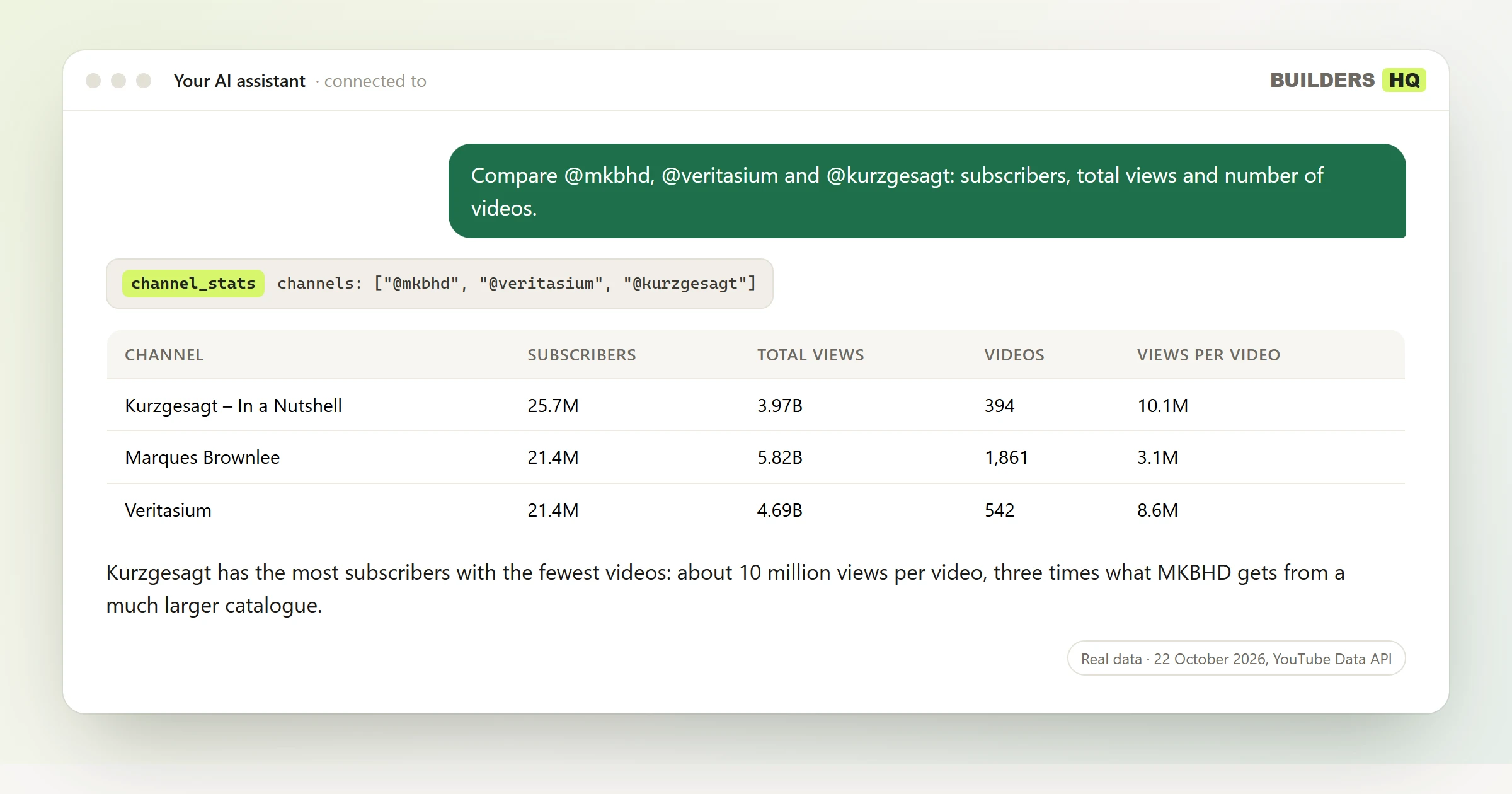
channel_stats with channels: ["@mkbhd", "@veritasium", "@kurzgesagt"].You ask: Compare @mkbhd, @veritasium and @kurzgesagt: subscribers, total views and number of videos.
| Channel | Subscribers | Total views | Videos | Views per video |
|---|---|---|---|---|
| Kurzgesagt – In a Nutshell | 25.7M | 3.97B | 394 | 10.1M |
| Marques Brownlee | 21.4M | 5.82B | 1,861 | 3.1M |
| Veritasium | 21.4M | 4.69B | 542 | 8.6M |
Your assistant: Kurzgesagt has the most subscribers with the fewest videos: about 10 million views per video, three times what MKBHD gets from a much larger catalogue.
Several channels mean switching accounts in YouTube Studio and exporting each report on its own.
Subscribers, views per day and top videos sit on different pages, and nothing compares them side by side.
The YouTube Data API's 10,000 units a day run out fast when every search costs 100.
| Tool | What it answers |
|---|---|
channel_stats | Subscribers, total views, videos, country and creation date for any channels. |
channel_videos | A channel's latest or most viewed videos, with their numbers. |
video_stats | Views, likes, comments and views per day for up to 200 videos. |
search_videos | YouTube search with numbers, ordered by views, date or relevance. |
video_comments | A video's top comments and replies. |
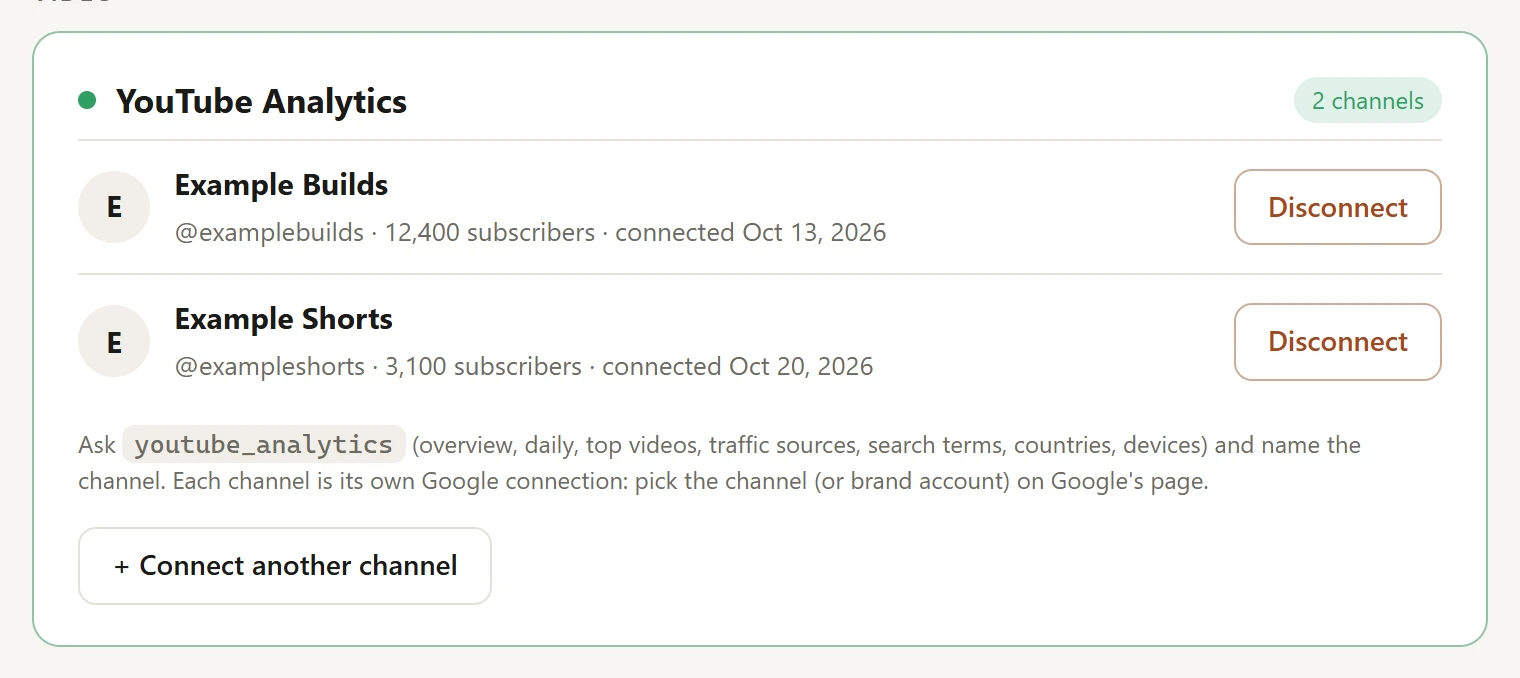
youtube_analytics | Your own channels' analytics: views, watch time, traffic sources, search terms. |
Logos are their owners' trademarks, shown to say which services the tools read from. Builders HQ is not affiliated with them.
Not for public numbers: any channel or video works right away. Connect your channel only for its private YouTube Analytics.
Yes. Connect each one on your account page, then name the channel in your question, or ask about all of them.
No. The YouTube tools only read, and the connection asks for read-only access to YouTube Analytics.
Free while in beta. Works with Claude, ChatGPT, Grok, Cursor and any client that supports remote MCP servers.
https://buildershq.net/mcp Keyword researchAsk Claude, ChatGPT or Grok for keyword volumes, ideas and CPC ranges and get Google Keyword Planner and Bing numbers, not guesses. Free MCP server.
 Google Ads forecastsForecast clicks, CPC and cost for a keyword set at any bid and budget, straight from Google Ads Keyword Planner, by asking your AI assistant. Nothing is created or spent.
 Search Console and Bing SEOConnect Google Search Console and Bing Webmaster Tools once, then ask Claude or ChatGPT which queries and pages win or lose clicks, check indexing and sitemaps. Free MCP.